How GoatRent Uses AI to Build Listings and Keep Them Honest
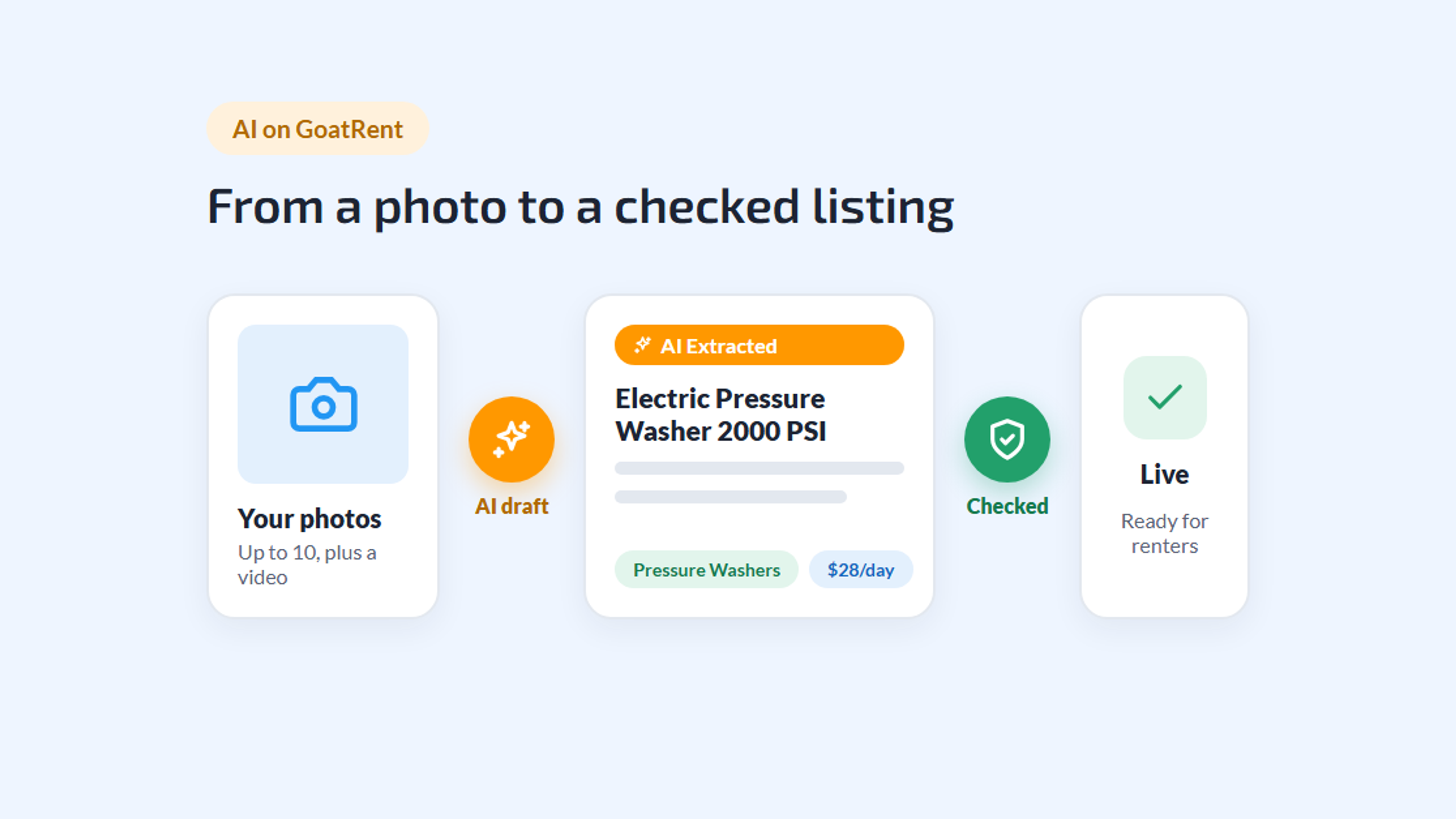
Two things make or break a rental marketplace. Listing has to be easy, or the gear never shows up. And what you see has to be true, or nobody trusts what shows up. GoatRent puts AI to work on both.
It helps you build a listing from a photo, and it checks every listing and review before anyone sees it. Here's what it actually does, step by step, and where you stay in charge.
Step 1: Your Photos Pick the Category
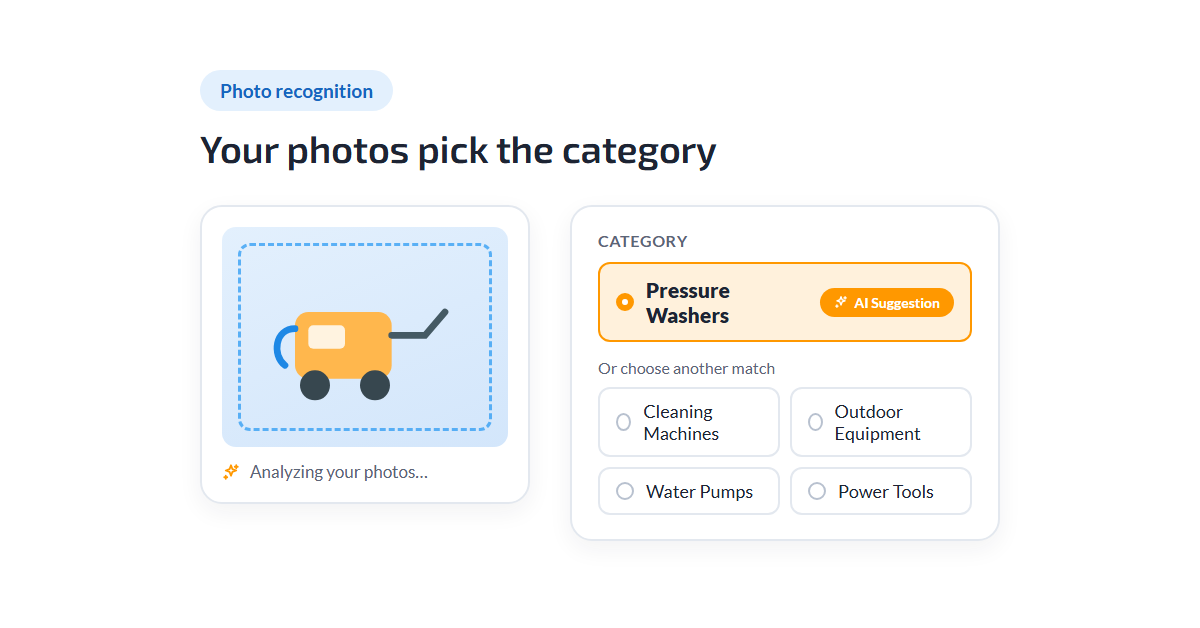
Start a listing and add your photos: up to ten, plus a video of up to a minute if you like. With "Use AI to auto-fill listing details." switched on, which it is by default, the app gets to work while you watch "Analyzing your photos…".
First comes the category. The AI looks at what's in your pictures and matches it against GoatRent's catalog of categories. Its best match is filled in and marked "AI Suggestion", and up to four other likely categories sit right next to it.
You decide. Pick one of the alternatives or browse to a different category entirely. The AI never overrides a choice you made yourself.
Step 2: It Drafts the Details, You Have the Last Word
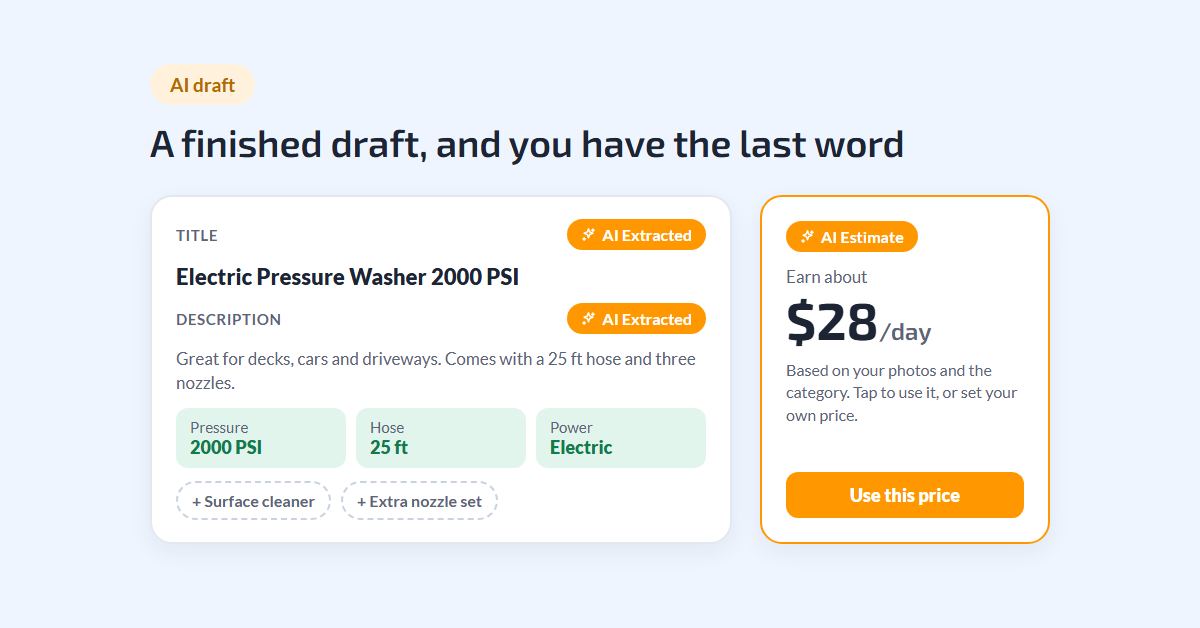
Once the category is set, the AI writes a first draft of the listing from your photos:
- A title that says what the item is, kept short enough to read on a card.
- A description a renter can actually use.
- The specs that category asks for, like power, size or capacity, filled in where the photos show them.
- Add-on ideas, like a spare battery or an extra blade, offered as chips you can add or ignore.
Everything the AI filled in carries an "AI Extracted" label until you change it, so you always know which parts came from the AI. It only fills empty fields. Anything you typed yourself stays exactly as you wrote it.
Changed the description? Tap "Update specification based on new description" and the specs follow your new text.
Step 3: A Price Suggestion, If You Want One
Pricing is where new owners hesitate most. For rental listings, GoatRent can suggest a daily price based on your photos and the category. It appears as an "AI Estimate" card, something like "Earn about $28/day", while the price field is still empty.
Tap the card to use it, or skip it and set your own. It's a starting point, not a rule. If you want a feel for pricing first, our guide on how to make extra money renting out your tools walks through it.
Step 4: Every Listing Is Checked Before It Goes Live
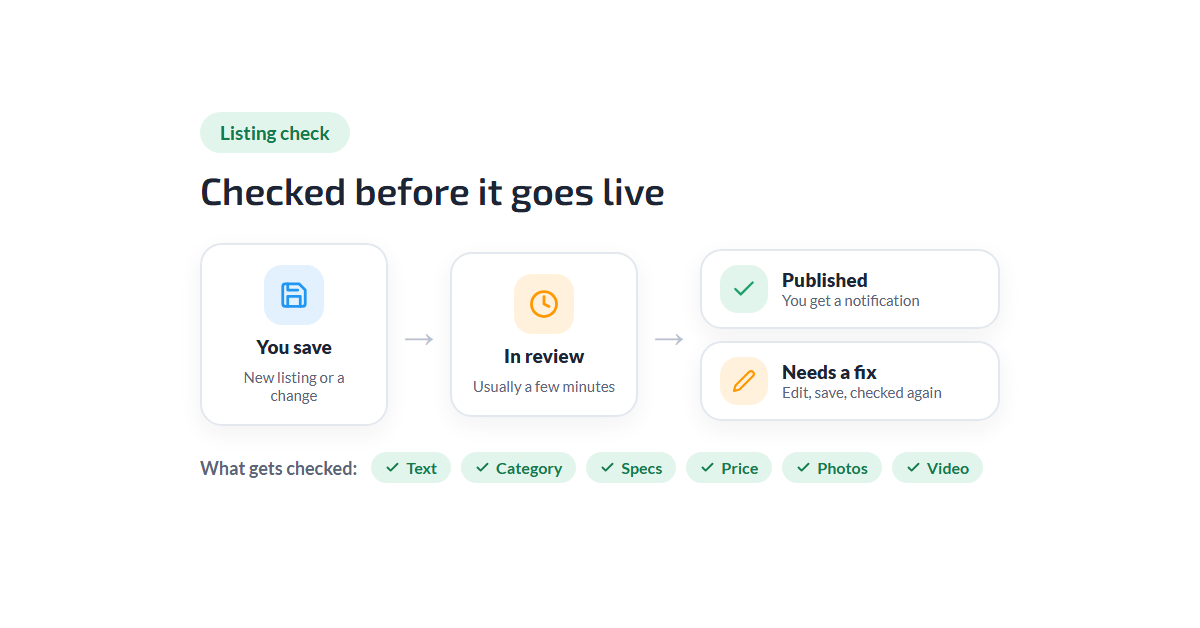
When you save, your listing goes through an automatic check before it appears in search. Your account shows it as "In review" while that happens. It usually takes a few minutes, a little longer when there's a video to look at.
The check looks at the whole listing together: the title and description, the category, the specs, the price, and every photo and the video. Only serious problems keep a listing from going live:
| What the check looks for | Does it stop the listing? |
|---|---|
| Explicit, violent or illegal content in the text, photos or video, like drugs, stolen goods or unlicensed weapons | Always |
| Scams, spam, harassment, or contact and personal details | Yes |
| A missing title or description, no category, or a price of zero or over the maximum | Yes |
| Photos that don't show the item, a category that doesn't fit, or specs that contradict the listing | Only when it's clearly wrong |
| A price far below what the item is worth | Only when it's absurdly low |
| A price that looks high, or a photo or video file that can't be opened | No |
Why contact details? Requests on GoatRent carry everything a rental needs, so a phone number or email address doesn't belong in a listing, whether it's in the text or in a photo.
If all is well, the listing is published and you get a notification that it's live. If something needs fixing, you're notified instead. Edit the listing, save, and it's checked again.
The check runs again whenever you change what renters see: the text, photos, video, category, specs or price. Updating your availability or reordering photos doesn't trigger a new check.
Step 5: Reviews Get the Same Care
Ratings only help if they're real. Every review, with its photos or video, is checked before it's published.
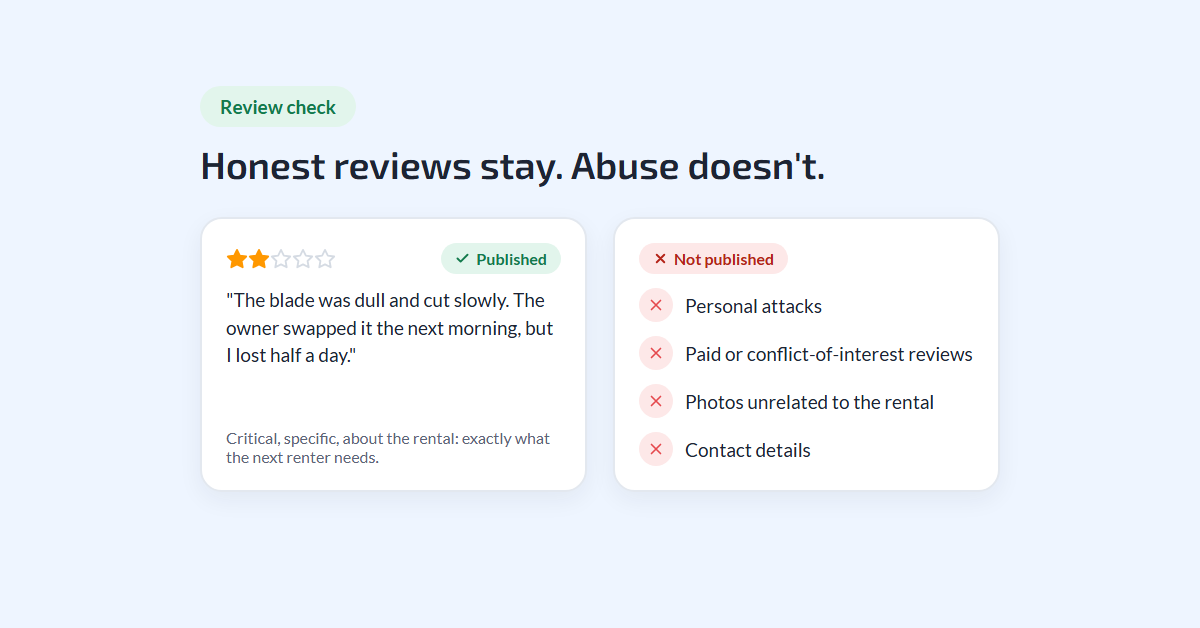
The check is built to protect honest reviews, including negative ones. A one-star review that explains what went wrong is exactly what the next renter needs, and it gets published like any other. What doesn't get through:
- Personal attacks aimed at the person rather than the rental.
- Reviews that aren't about the item or the deal, or photos that have nothing to do with it.
- Paid reviews, or reviews with an obvious conflict of interest.
- Duplicates of a review that's already there.
- Contact details and other personal information.
While a review is being checked, it shows as "Pending review". Then it's either "Published" or "Not published", and the author is told why. Editing a review sends it through the check again. Reviews can be written in any language.
What the AI Doesn't Do
AI is a helper here, not the boss, so it's worth being clear about its limits.
- It doesn't choose for you. The category, the text, the specs and the price are all yours to accept or change.
- It isn't instant. Checks take a few minutes, so a new listing won't appear the very second you save it.
- It doesn't replace good habits. Honest photos, an accurate description and a proper handover still do most of the work. Our guide on how GoatRent keeps renting safe and transparent covers the rest of the safety net.
Why It Matters
For owners, AI turns "I should list that someday" into a few taps: photos in, a finished draft out, a quick read-through and you're done. That's a big part of why listing your gear on GoatRent is so quick.
For renters, the checks mean the listing in front of you was looked at before you saw it. Photos are of the real item, the category fits, the price is in a sensible range, and nobody is trying to pull you off the platform.
Final Thoughts
Got something sitting in the garage? Take a few photos, let the AI do the first draft, and see how close it gets. New to GoatRent? Start with what GoatRent is and how it works.