The Complete Rental Journey on GoatRent: From Verification to Return
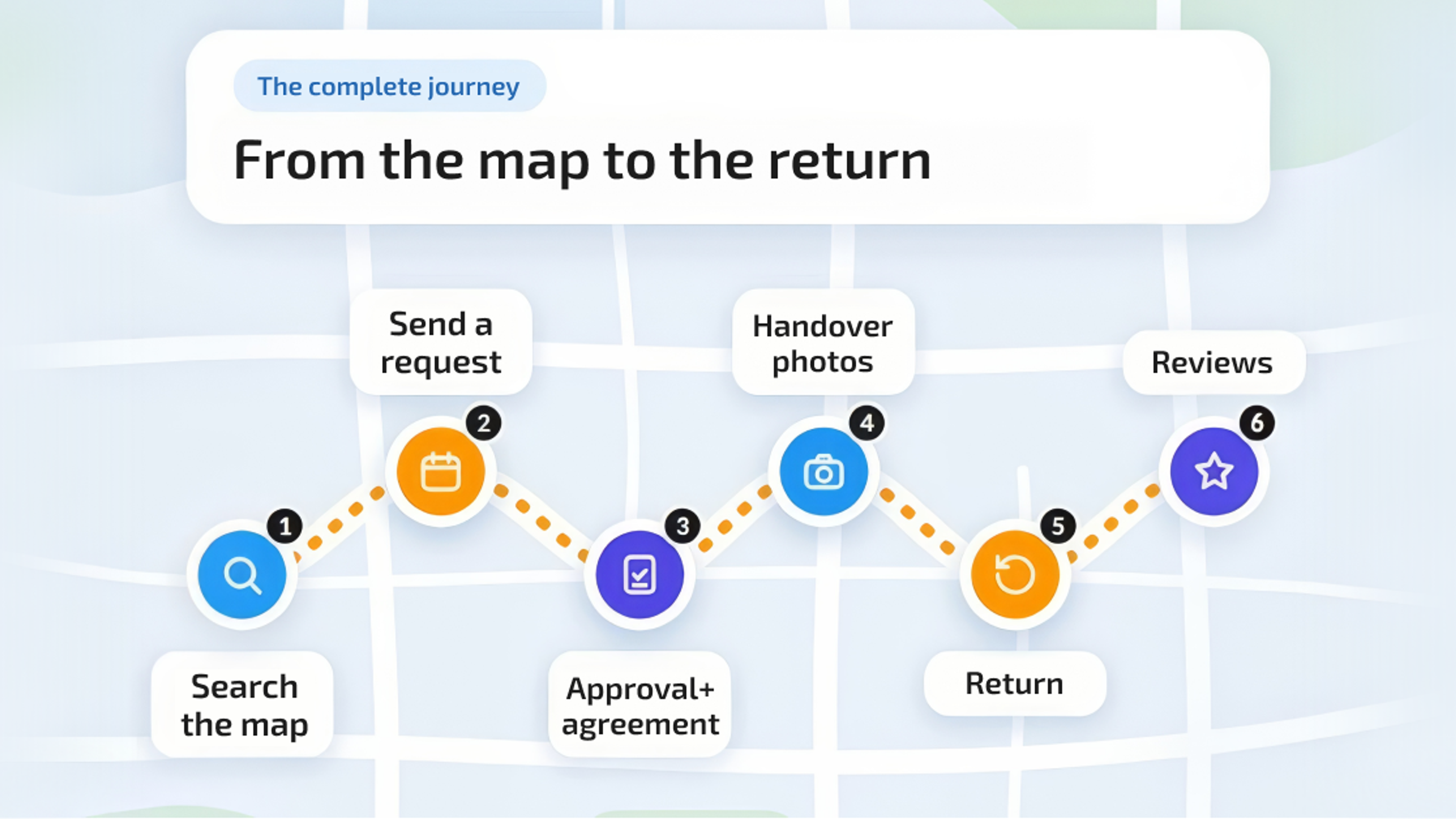
My first GoatRent rental, I braced for chaos. A stranger's tile saw, my bathroom floor, a Saturday deadline. What actually happened was boring. Beautifully, suspiciously boring. Because renting here is not a leap of faith, it is a sequence, the same steps in the same order, and every step leaves a record behind it. This is the whole GoatRent rental process, exactly how it played out for me. New to the platform? Skim what GoatRent is and how it works first, then come back. This will make a lot more sense. Consider this the unfiltered answer to how renting on GoatRent works.
Before You Start: Browse Freely, Verify When You Feel Like It
Browsing costs you nothing and needs no account, so just open the map and wander. I did that for days, honestly. Kept zooming in near my place thinking, hold on, someone three streets over is renting out a floor sander? Who even owns a floor sander. Anyway, when you actually want to request something, or list your own stuff, then you make the account. Free, two minutes, done.
GoatRent verification is the bit everyone gets tangled up in, so here it is without the fine print: you don't have to do it. It's there if you want it. You show Stripe a passport or a driver's license or whatever ID you've got, and a Verified badge shows up on your profile. Do I recommend it? Yeah, I do. Put yourself in the owner's shoes for a second. Two strangers want your tile saw, one of them has proven they're a real person. You're picking that one. But if you skip it, nothing breaks. You can still rent, still get approved, still leave reviews. The badge is a nudge in your favor, that's all it is.
Step 1: Find Your Gear on the Map
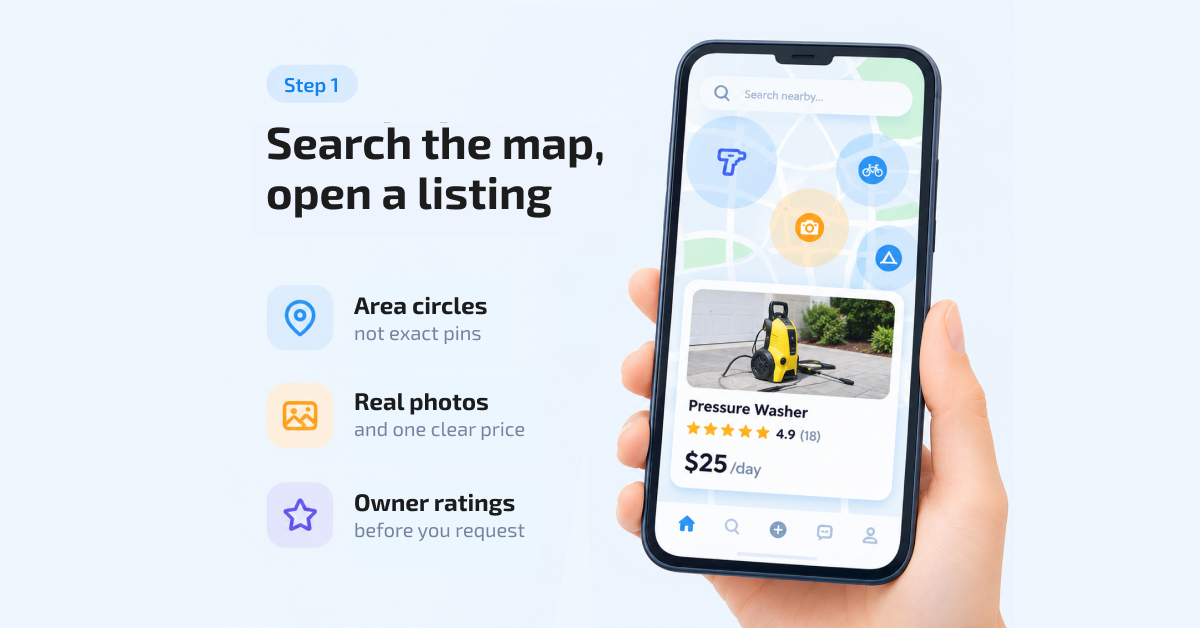
Forget scrolling through pages of text ads. You start on a map. And here is the first thing that trips people up: you do not see the item's exact address. You see a circle, a few hundred meters wide, basically "it lives around here." My first reaction was, well, that is vague. My second reaction, thinking about it from the owner's side, was: would I want my home address public because I rent out a pressure washer? Yeah. No. The circle tells you what you actually need to know, which is whether the thing is close enough to be worth it.
Tap a listing and you get the real item, not a fantasy version. Actual photos of the actual saw, taken by the owner, because listings here are built photo-first. Specs. One price, one unit, so $28 a day or $90 a week, not some daily rate with a different weekly rate taped on. And the owner's rating, which is weighted by how many reviews they have. One grumpy one-star from two years ago cannot torpedo somebody with forty happy renters, and honestly that is how it should be.
Step 2: Send One Structured Request
Found it? Now here is where GoatRent gets weird, in a good way. There is no chat. At all. The platform actually brags about this, calls it zero-chat, and after years of "is this still available" messages dying in classified ad threads, I get it.
Instead you send one request that carries everything: your dates, pickup or delivery, add-ons if you want them (extra blade, spare battery, that kind of thing). There is no surprise when you finally reach the driveway. The price is all there to see based on the booking date and rate you chose. You can add your comments on the request itself for everyone involved in the booking to see.
Step 3: Approval Is Where It Gets Real
The owner looks at your request and approves it. Simple click for them, big moment for the rental, because approval is the key turning. Only now does the owner share the exact address. Only now are your dates actually reserved, because only approved requests reserve anything. Until that click, the gear is still fair game for everyone.
Approval also spits out the paperwork, automatically. A PDF agreement with the item, the dates, the price, the delivery arrangement, all of it written down. If the owner set a security deposit, it is in that agreement too. And this is the part that surprises almost everybody the first time: the money never goes through GoatRent. Not the rental payment, not the deposit. You pay the owner directly, the two of you, like neighbors. The platform builds the structure and keeps the record. It does not touch your cash. That is the peer-to-peer rental process in a nutshell: structured, documented, and still just two neighbors.
Step 4: The Driveway Photo Shoot
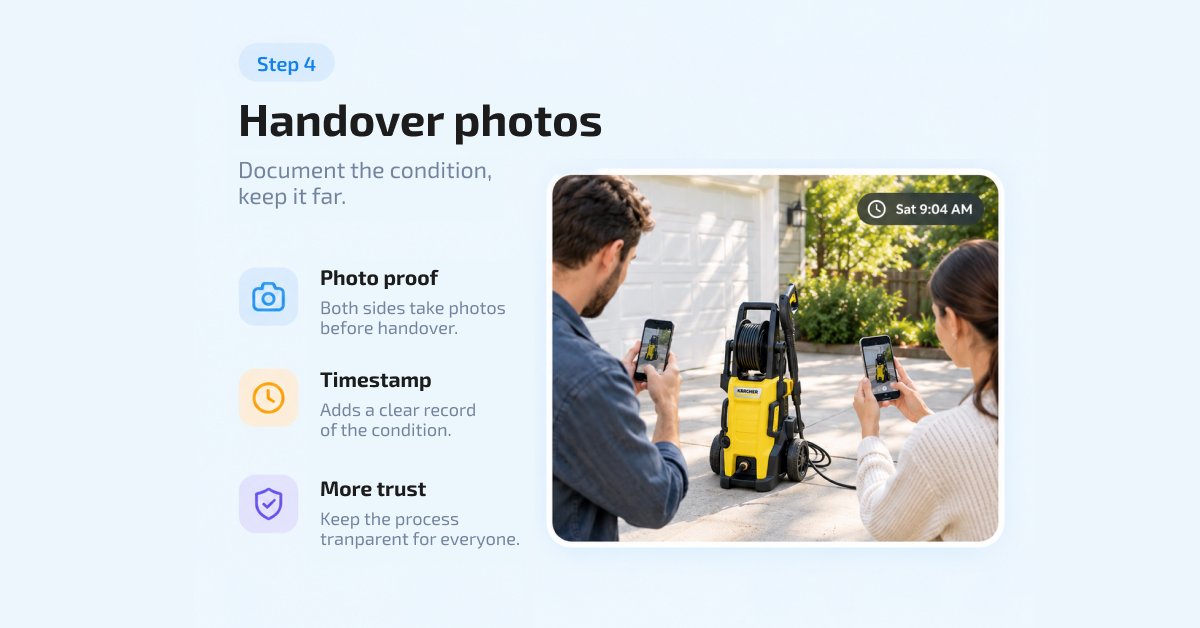
So you drive over (mine was six minutes, the circle did not lie by much), you meet the owner, you look the saw over together and give it a quick test. Normal human stuff. Then, you and the other person perform a ridiculous and genius idea: stand there and photograph the item, almost like you're taking pictures of a crime scene.
Both sides can attach timestamped photos, videos, and notes at check-in, so there is one shared record of exactly what the gear looked like going out. That scratch on the housing? Photographed, dated, seen by both phones. Four minutes of mild awkwardness, total protection later. This shared record is the unglamorous engine behind how GoatRent keeps renting safe and transparent, and it covers the owner just as much as it covers you.
Step 5: The Actual Rental (the Quiet Middle)
Then you use the thing. That's the middle part and there's not much to narrate, which tells you it went fine. I got my bathroom tiled. The saw behaved, the lines came out straight, nobody called anybody in a panic. While it's in your hands, though, the agreement puts it on you. It's your responsibility. So the rule I go by is borrowed-from-a-friend rules. The kind of friend you'd like to borrow from again someday.
Plans slip, they just do. If you're running a day behind, the worst move is keeping the saw an extra night and hoping it goes unnoticed. It won't, and now there's a whole thing where there didn't need to be one. Leave a comment on the request, sort the change out with the owner before the return time passes, and it's written down where it should be. Two minutes. No awkward driveway conversation later.
Step 6: Return, Same Routine in Reverse
Sunday I was back in that driveway, saw in the trunk, and we did the photo routine again, just backwards this time. Look it over together, fresh pictures, fresh notes at check-out, and now the record has a start and a finish that match up. Realized later you forgot to mention something? There's a window for that. The record stays open for another 24 hours after the rental ends. Then it locks, and what's in there is what's in there.
Step 7: You Review Each Other
Last step, and it goes both ways. I reviewed the owner (accurate listing, easy handover, five stars, easy). He reviewed me. Ratings here are weighted by review count, so every honest review moves your picture closer to the truth instead of letting one odd experience define you. String together a few clean rentals and something nice happens: owners start approving you faster, because your history does the talking. The journey ends by making the next one easier.
The Whole Thing, in One Breath
Map, request, approval, address, agreement, driveway photos, weekend project, return photos, two reviews. That is it, the complete routine for anyone learning to rent gear step by step. No chat threads, no "so how do we pay" dance, no arguing about a scratch. And once you have run it as a renter, you start looking at your own garage differently, because the exact same journey runs backwards for owners, which is the whole idea behind why list your gear on GoatRent. My pressure washer has been out four times since the tile saw. Just saying.
Rental Journey FAQs
Do I have to verify my ID to rent on GoatRent?
Nope. Verification is the optional Stripe check that earns you the Verified badge. It greases the wheels, owners trust it, but your requests and reviews work fine without it.
When do I get the exact address of an item?
Right after the owner approves your request. Before that you see the general area only, a circle on the map, because plastering home addresses in public would be insane.
Who do I pay for my rental?
The owner, directly. Rent, deposit if there is one, all of it moves between you two, as the agreement lays out. GoatRent does not process it, hold it, or take a cut of the handover.